Navisworks Clash Detection Services
Navisworks clash detection checks where pipes, ducts, sprinklers, conduit and structure occupy the same space, so the fix happens on the screen and not in the field. We run the checks and, more importantly, run the resolution.
Request a Proposal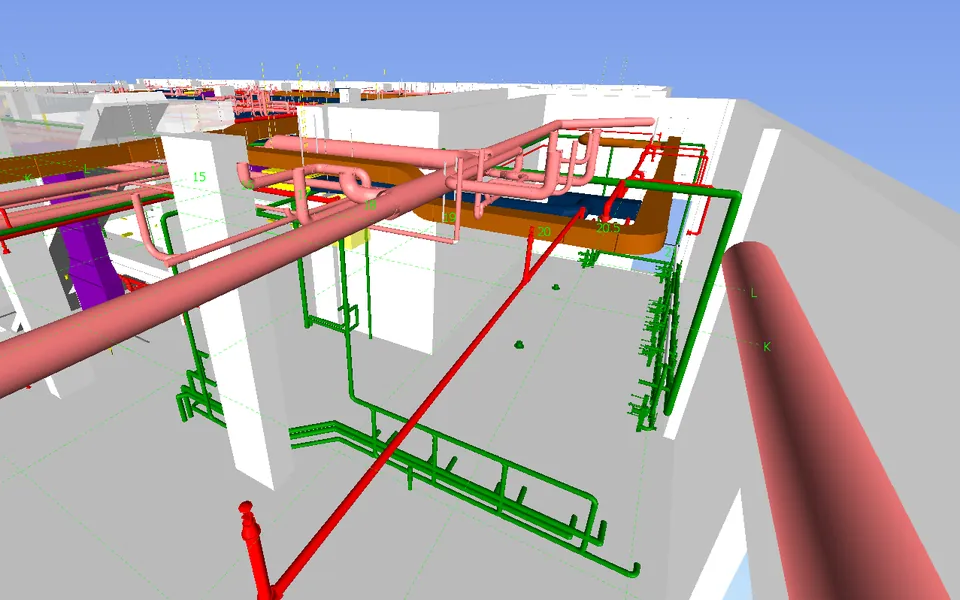
What the service includes
- Clash tests set up between trades and against structure and architecture
- Results grouped by location and cause, so one fix closes many clashes instead of hundreds of lines in a list
- Issue views sent to the responsible trade with a proposed resolution
- Re-runs after each model update until the open items reach zero
- A clash report you can hand to the field or the owner
Who benefits
- General contractors that receive models from several trades and need them checked together
- MEP subcontractors who want to see their conflicts before they fabricate
- Project teams that already have models but no one to run the checks and the meetings
Typical deliverables
- Navisworks files (NWC/NWD)
- Clash reports with views and status
- Meeting minutes with an owner for every open item
- Updated models after each round
Our technical capabilities
- Navisworks with a Revit model from each trade
- Review of the clash results by people who have installed this work, so we separate real conflicts from noise
- Coordination meetings led by us, with minutes issued afterward
- Work in Autodesk Construction Cloud and Procore
How it reduces field conflicts, delays and rework
A raw clash list is not a fix. We group the results, assign each to a trade, propose a resolution that can actually be installed, and keep re-running until the open items are closed. Conflicts caught at this stage are drawing changes, not field changes.
Project example
Project example: a 12-story residential tower in Manhattan came to us with its MEP coordination and drawings already behind. We took the BIM lead, built the full-building MEP model, resolved the conflicts in the model and issued install-ready plans and sections. The general contractor received a coordinated set in three weeks without carrying the coordination work. Read the case study.
Questions
What is Navisworks clash detection?
Navisworks combines models from different trades and tests them against each other to find where elements overlap or miss required clearance. See our detailed answer.
Do I need models from every trade?
The best result comes from all trades in one coordinated model. We can model the missing trades ourselves if some are not modeling.
Is clash detection the same as coordination?
No. Clash detection finds the conflicts. Coordination resolves them: meetings, decisions, minutes and sign-off. We do both.
Can you check models we already have?
Yes. Send the models and the scope, and we will run the checks and report back.
Send us your drawings. Upload a few sheets below, or email Team@pipedreamsolution.com.
Download sample drawings
Selected sheets from past projects: coordinated plans, sections, spool and isometric sheets and 3D views across mechanical, plumbing, fire protection and electrical. Project and client details are left out. Enter your email to unlock the PDF.
Thank you. Your download is ready.
Download sample drawings (PDF)Published by Pipe Dream Solutions LLC, a veteran-owned BIM and VDC company in New York City serving contractors nationwide. Last updated November 21, 2026.
Send us your drawings.
We will show you the risks first.
Upload a few sheets or paste a link to the full set (Box, Dropbox, Google Drive, BuildingConnected, Procore). It goes straight to our team.
Rather email? Team@pipedreamsolution.com