Measure your drawings in minutes.
Scale It is a simple PDF drawing tool for plumbing, mechanical and electrical. Set the scale, click along the pipe, and the totals add up by themselves. No CAD skills needed.
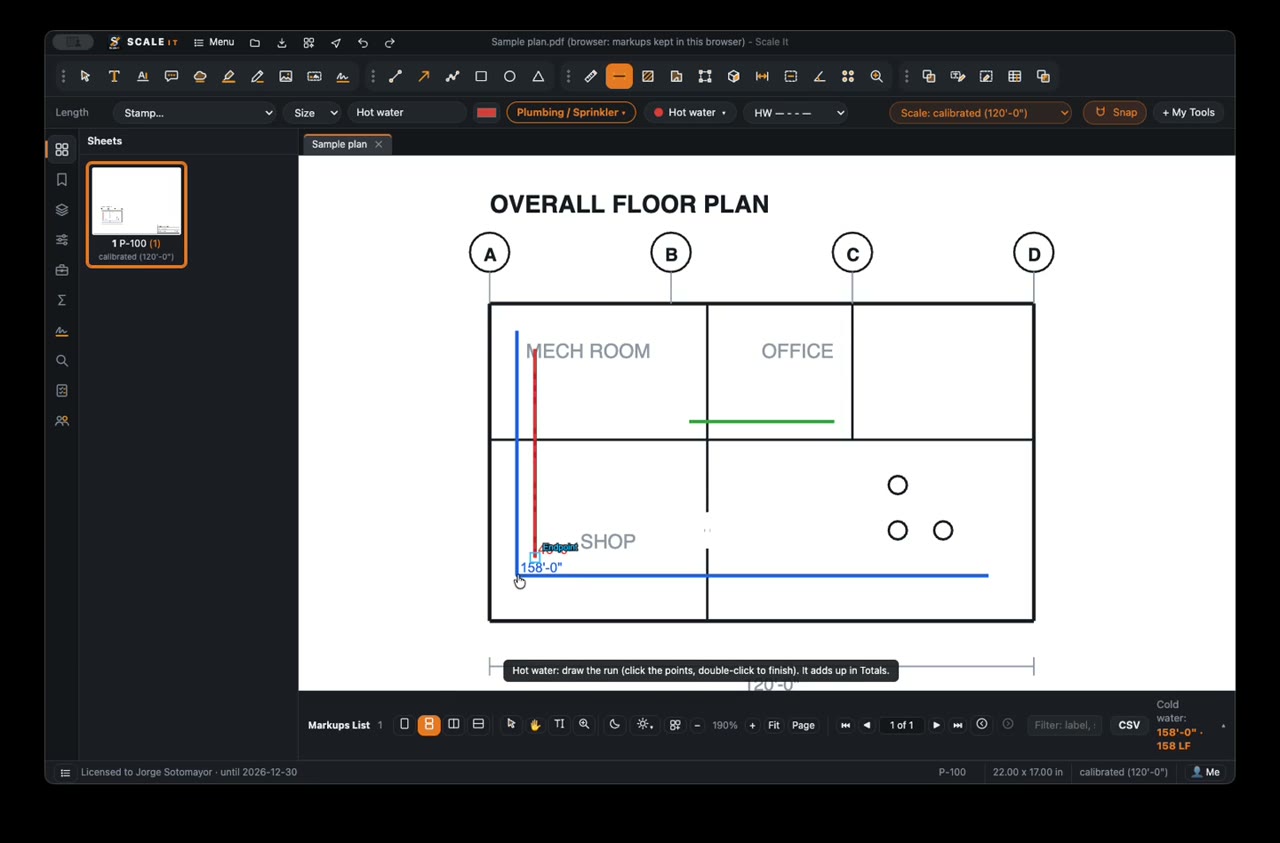
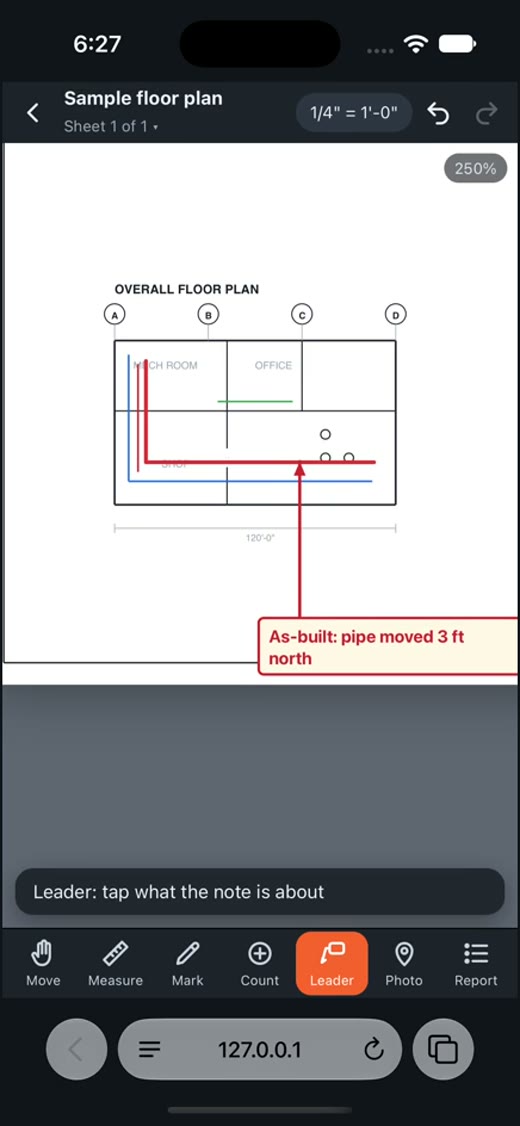
Three short videos. Real software.
Everything you see is the real app, recorded on a real drawing.
Boost your efficiency with Scale It
Open the plan you already have. Scale It works right on top of it.
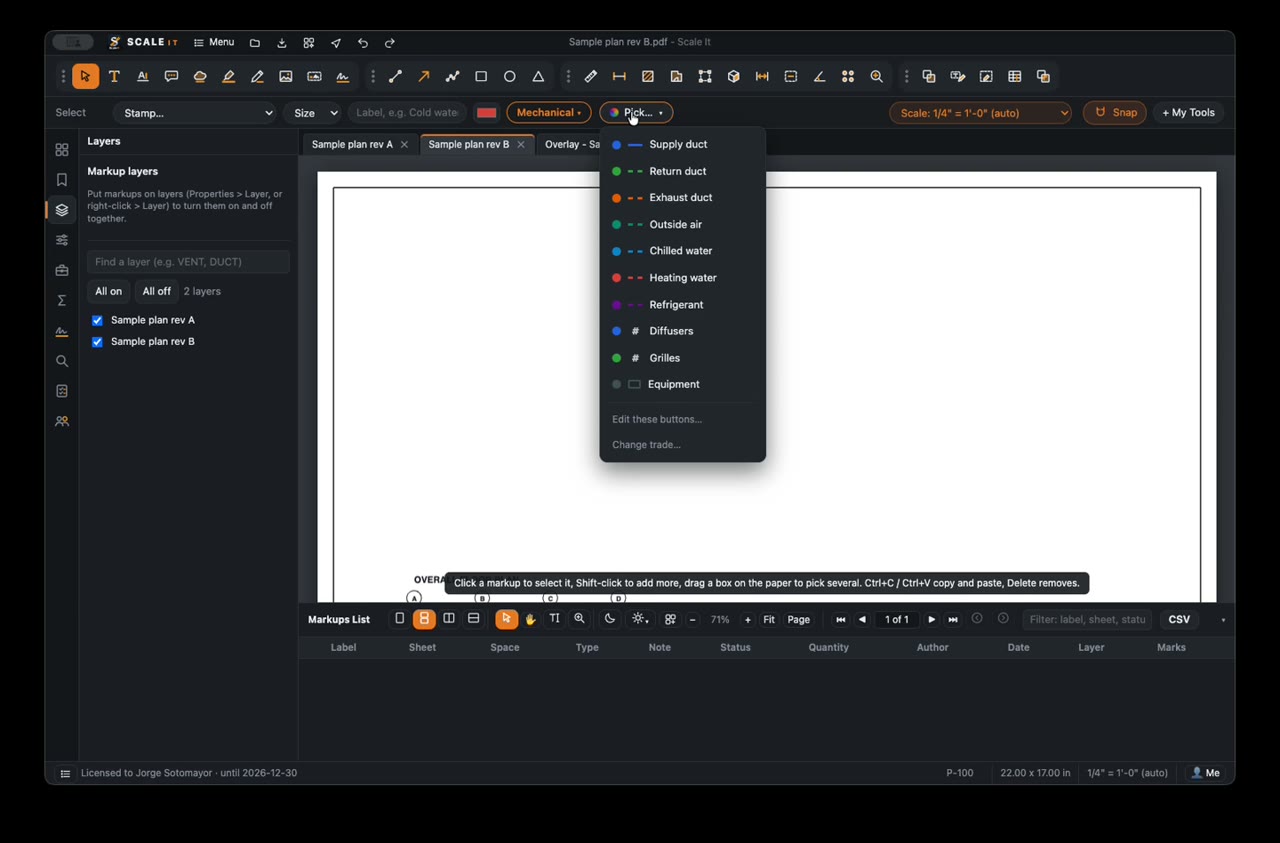
Pick your trade once.
Plumbing, mechanical or electrical. Scale It sets up the buttons, colors and line styles for you.
- Plumbing: cold water, hot water, sanitary, vent, gas, sprinkler
- Mechanical: supply duct, return duct, chilled water, diffusers
- Electrical: conduit, home runs, lights, receptacles, panels
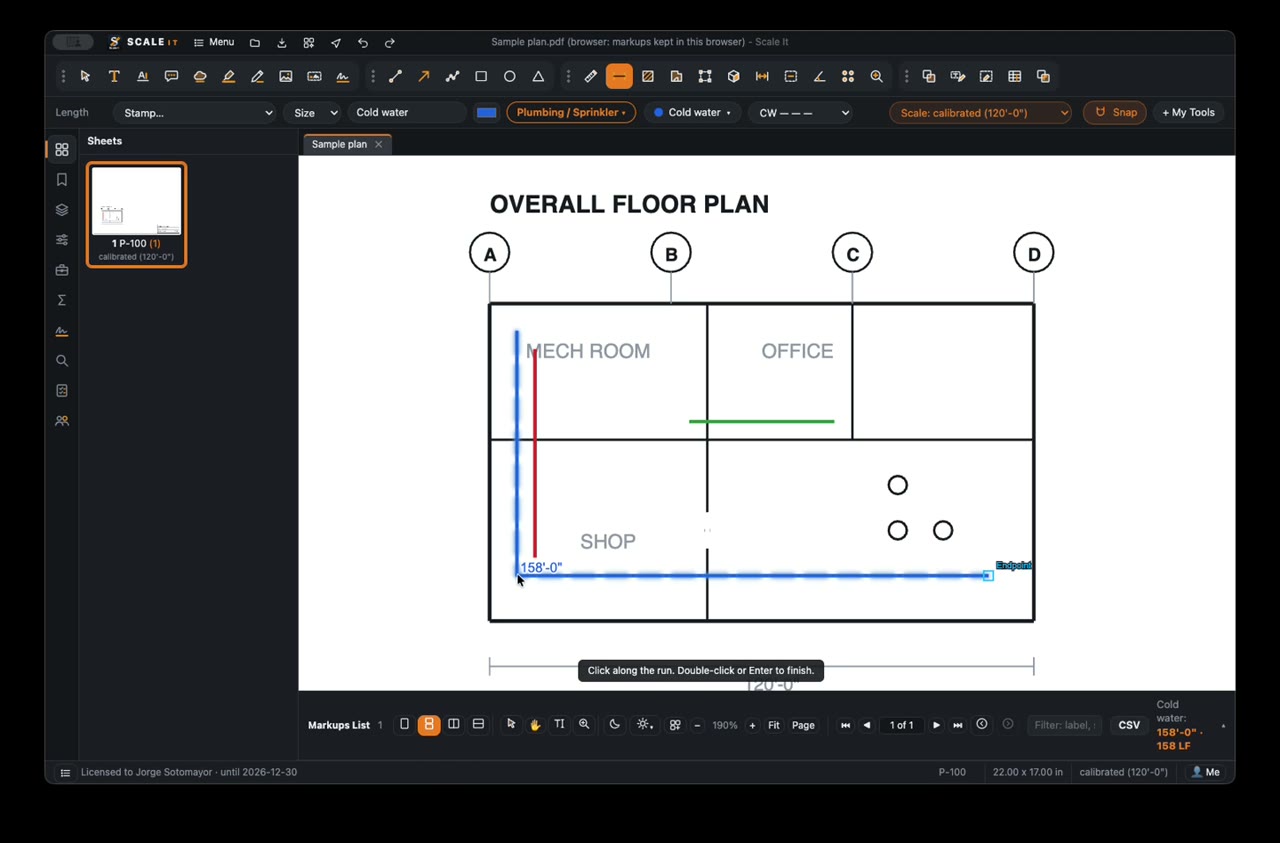
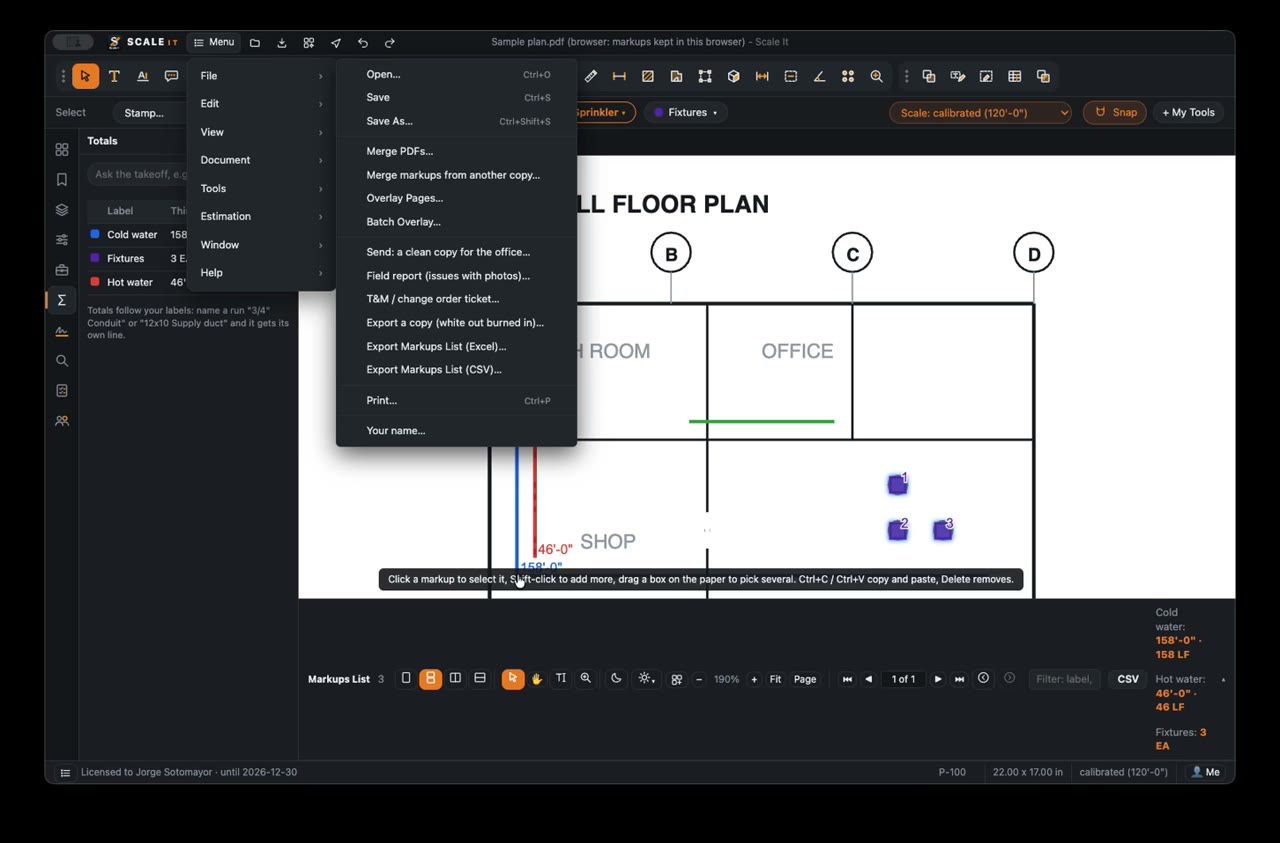
Click along the pipe. The feet add up.
The sheet scale is read for you, or set it from any size you know.
- Measure runs, areas and counts with one click each
- Live totals by pipe type, no calculator and no re-typing
- Export an Excel list in one step
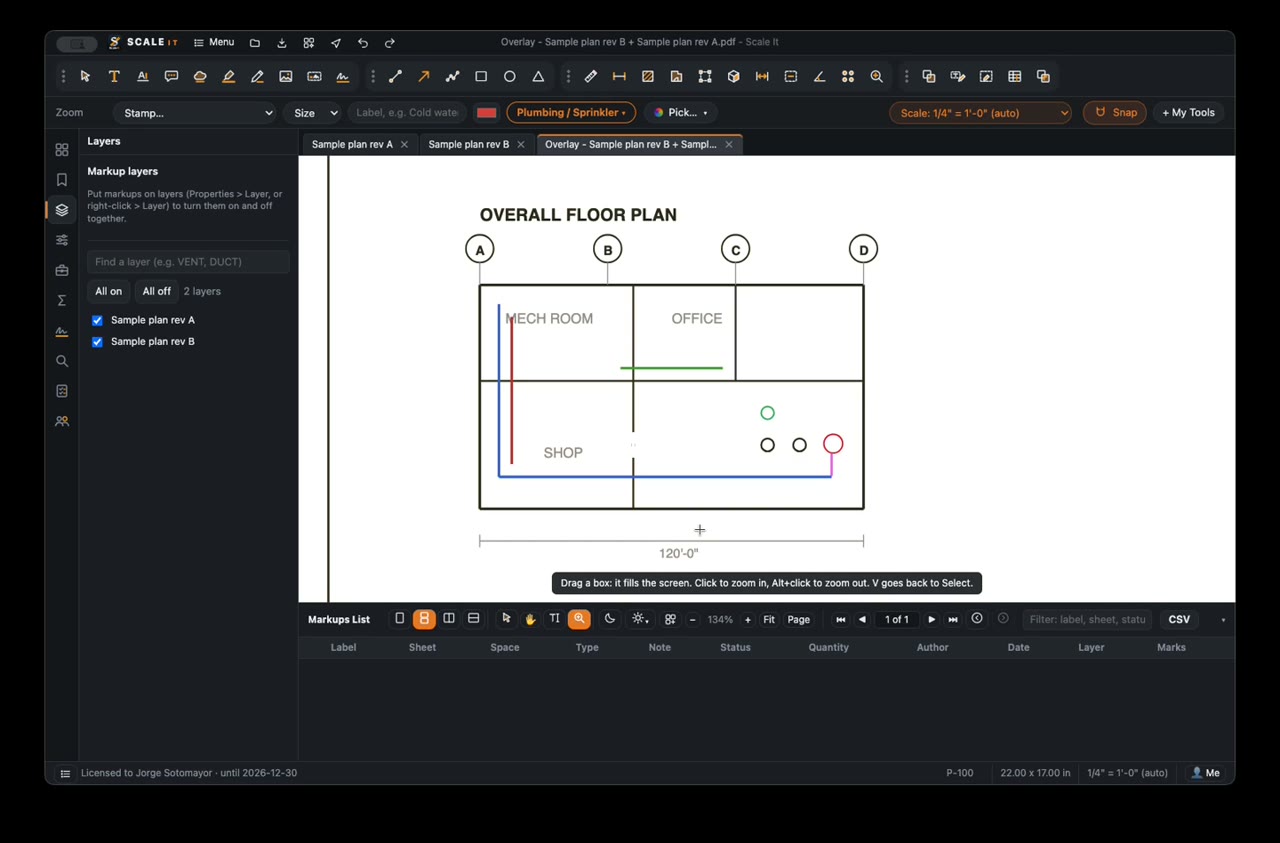
New revision? See exactly what changed.
Lay the old drawing over the new one. Scale It lines them up.
- Added work shows in red, removed work shows in green
- Everything that stayed the same is dark
- Turn either drawing on or off any time
As-builts from the field, on your phone.
Draw what was really installed, then lay it over the original at your desk.
- Pen, highlighter, line and box in six colors
- Notes with an arrow, photos and measurements
- One tap makes a report, ready to send
Send it on in one step.
Get the answers out of the drawing and to the office.
- Excel list of your markups and totals
- A clean copy for the office, without the markup clutter
- A field report with photos, or a change-order ticket
Measuring in the first minute.
Open your drawing
Open any PDF plan. Scale It reads the sheet scale for you.
Pick it and click
Choose cold water, a duct, or fixtures, then click along the plan.
Read your totals
Check the totals, then send the list or a clean copy to the office.
On your computer and in your pocket.
The same drawings and the same simple tools, everywhere you work.
Buy it once. It's yours.
No subscription and no monthly bill. When you buy Scale It for your Mac or Windows computer, you own it.
Pay once
One payment for the software on your computer.
No subscription
No monthly or yearly fee to keep using what you bought.
Yours to keep
It stays on your computer, and so do your drawings.
iPhone and iPad are a yearly subscription. Everything is free to try until December 30, 2026.
We help you get going
Short videos, quick answers, and a real person when you need one.
Good to know
Are my drawings uploaded anywhere?
No. Your drawings, notes and photos stay on your computer or phone.
Will my PDFs open in other programs?
Yes. Scale It saves into a normal PDF, so it opens in any PDF reader.
Which trades is it for?
Plumbing and sprinkler, mechanical, and electrical. You pick your trade the first time, and you can change it any time.
Do I need to know CAD?
No. If you can open a PDF and click along a pipe, you can use it.
Is there a subscription?
Not for Mac and Windows: you buy the software once and it is yours. The iPhone and iPad apps are a yearly subscription through Apple, and they are free to try until December 30, 2026.
Is it free?
It is free to try until December 30, 2026. You make a free account first, so we know who has it.
Something is slow, confusing or missing.
Tell us. Email team@pipedreamsolution.com. Your notes decide what we build next.
Try it on a real plan.
Free until December 30, 2026. Open a drawing and be measuring in a minute.
Download Scale It